eSIM, Pocket Wi-Fi or SIM Card for Japan: Which Is Best for Nagoya?
Compare eSIM, pocket Wi-Fi and physical SIM for a Nagoya trip, with device checks, full-trip cost formulas, data planning and Centrair backup options.
Compare eSIM, pocket Wi-Fi and physical SIM for a Nagoya trip, with device checks, full-trip cost formulas, data planning and Centrair backup options.
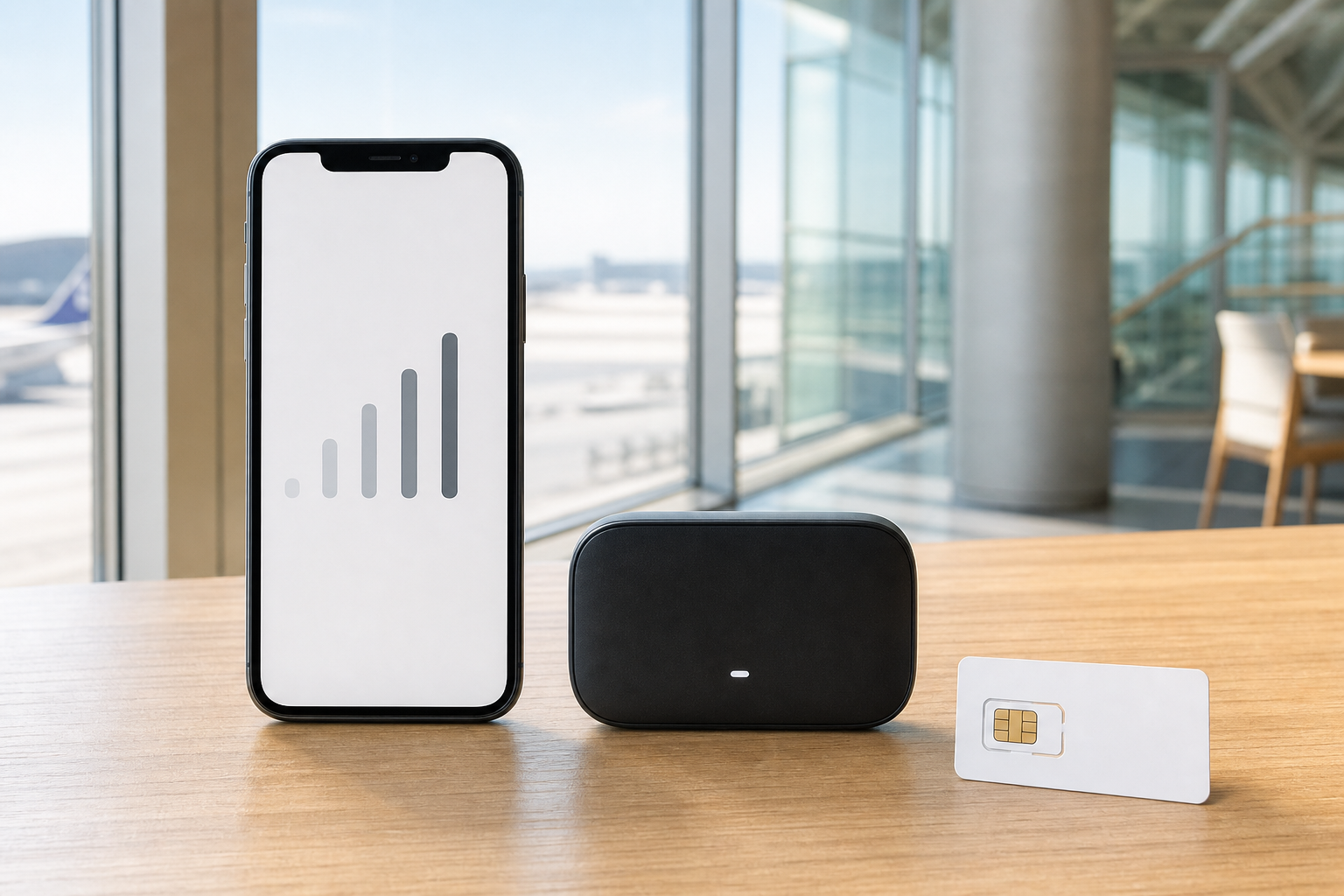
For most solo travelers with an unlocked, eSIM-compatible phone, an eSIM is the simplest way to get data in Nagoya: install it before departure, switch the data line on after landing and keep your physical home SIM available for messages if your phone supports dual SIM. Pocket Wi-Fi is usually the stronger fit for a family or group sharing several devices. A physical prepaid SIM remains useful when the phone lacks eSIM support, when a traveler wants a removable local data line, or when in-person setup help matters more than instant activation.
The format alone does not determine coverage. An eSIM, physical SIM and pocket router all connect through an underlying Japanese mobile network. The real decision is whether your device is compatible and unlocked, how many people and devices need service, whether tethering is allowed, how much data you will use, and what happens if setup fails at Chubu Centrair International Airport.
Do not buy solely from an “unlimited” headline. Compare the fair-use or speed policy, hotspot allowance, activation window, network used, support hours and refund terms. A plan can be technically unlimited but slow down after a threshold; a cheap eSIM can become expensive if your phone cannot install it; a pocket router can save a family money but creates a battery and return obligation.
Last checked and current official sources
Last checked: August 3, 2026. Airport counters, prepaid products, device support, network policies and prices can change. Recheck the operator pages before purchase and again shortly before departure.
Primary official sources used here:
- Chubu Centrair: Wi-Fi router, phone and SIM services — airport availability for Wi-Fi-router and smartphone rentals plus prepaid SIM sales.
- Centrair recommended services — free airport Wi-Fi and visitor communication services.
- SoftBank: Prepaid SIM for Travel — a current example of a data-only tourist physical SIM, retailer-set pricing, compatible-device requirements, APN setup and airport/electronics-store sales channels.
- NTT DOCOMO: using another carrier’s device — official warnings about SIM locks, compatible products, supported communications methods and device-operation limits.
- Apple Support: unlock an iPhone for another carrier — how to check carrier lock status and why the original carrier controls unlocking.
- Google Pixel Help: eSIM support — device-generation, carrier and Wi-Fi requirements for eSIM procedures.
Centrair’s official service page says the airport offers Wi-Fi-router, SIM-card and smartphone rental services as well as prepaid SIM sales, while its visitor page advertises free airport Wi-Fi. That gives arriving travelers a recovery path, but it does not guarantee every counter is open for every flight or that every product is in stock.
SoftBank’s traveler product is explicitly data-only and requires setup. DOCOMO warns that phones with an active SIM lock are excluded from its other-carrier-device procedure and that support depends on communications methods and device compatibility. These are useful operator facts even if you buy from another provider: unlock and compatibility checks happen before price comparison.
Quick answer: which connection type fits your trip?
| Traveler setup | Best starting choice | Why | Main failure risk |
|---|---|---|---|
| One traveler, modern unlocked eSIM phone | eSIM | No pickup, no return and fast activation | Unsupported device, locked phone, QR/profile installation problem or unreliable foreign-card purchase |
| Couple with two eSIM phones | Usually one eSIM each | Each person stays connected when separated | Costs can exceed one shared router if both need heavy data |
| Family or group using several phones/tablets | Pocket Wi-Fi | One rental can connect multiple devices | Group must stay near the router; battery, loss and return risk |
| One traveler with an older unlocked phone | Physical prepaid SIM | Works without eSIM capability | Wrong SIM size/bands, APN setup, loss of home SIM, data-only limitation |
| Traveler who needs their home number for banking SMS | eSIM while retaining home SIM, if dual-SIM setup supports it | Keeps home line present while Japanese data uses the travel line | Accidental home-line roaming charges if voice/data settings are wrong |
| Remote worker with video calls | High-data eSIM or router with explicit hotspot/fair-use terms | Better fit than buying by headline data alone | Speed throttling, hotspot restriction, weak indoor signal and no backup |
| Two people splitting up frequently | Separate eSIMs/SIMs | Each person can navigate and message independently | Shared pocket Wi-Fi leaves one person offline |
| Phone is carrier-locked | Pocket Wi-Fi first | Avoids installing another carrier’s SIM profile | Router availability, charging and return logistics |
Default recommendation: use an eSIM if one compatible traveler needs data; use pocket Wi-Fi when several devices stay together; choose a physical SIM when eSIM is unavailable or staffed setup is valuable.
Five-minute compatibility gate before you buy
Run this checklist while still at home, on stable Wi-Fi.
1. Confirm the phone is unlocked
On iPhone, Apple says only the current carrier can unlock the device. Check Settings → General → About → Carrier Lock; wording can vary by software version. If it does not indicate an unrestricted state, contact the original carrier before buying a Japanese eSIM or physical SIM.
For Android, confirm unlock status with the carrier that sold the phone. A slot or “Add eSIM” menu does not prove the device will accept another carrier’s profile.
2. Confirm eSIM or physical-SIM capability
Check the exact model number, not only the marketing name. Devices sold in different countries can have different SIM hardware. Verify:
- an “Add eSIM” or equivalent mobile-plan menu exists;
- the provider supports the exact device model and OS version;
- the phone can keep the home SIM active alongside the travel line if you need incoming SMS;
- the physical slot accepts the card size if you choose a SIM;
- required Japanese frequency bands and network methods are supported.
3. Confirm what the product actually includes
Record these fields before checkout:
| Field | Why it changes the decision |
|---|---|
| Underlying network | Coverage and congestion depend on the network, not whether delivery is eSIM or plastic |
| Data allowance | “Unlimited” may carry speed or fair-use limits |
| Validity start | Some products start at installation, others at first connection or a fixed date |
| Hotspot/tethering | Essential for laptops and shared devices; never assume it is included |
| Voice/SMS | Many tourist products are data-only; app calls are not a Japanese phone number |
| Top-up | Check whether extra data can be added without replacing the plan |
| Support hours | A cheap plan is less useful if activation fails outside support hours |
| Refund rules | Installed or activated digital products may have limited refund options |
| APN/profile steps | Physical SIMs and some eSIMs require manual configuration |
4. Save activation material offline
Screenshot the instructions, account login, order number, provider support path and APN values. If activation uses a QR code displayed on the same phone, plan how you will scan or enter it manually. Do not delete an eSIM profile merely because the first connection is slow; some profiles cannot be reinstalled without provider intervention.
Nagoya arrival plan at Centrair
Plan A: eSIM installed before departure
1. Install the profile at home on Wi-Fi but follow the provider’s instruction about when to activate it.
2. Keep the travel line off until the correct activation point if the validity clock starts on use.
3. After landing, disable data roaming on the home line unless your home plan specifically requires it.
4. Enable the travel line, select it for cellular data and apply the provider’s roaming/APN instruction.
5. Test a map, the Centrair-to-Nagoya route guide and one message before leaving the terminal.
Plan B: buy or collect at the airport
Centrair officially lists Wi-Fi-router and phone rental plus prepaid SIM sales. Before depending on a counter, confirm terminal, floor, business hours, reservation requirement, stock, pickup deadline and accepted payment. Flight delays can put a traveler outside counter hours.
For a physical SIM, keep your home SIM in a labeled holder and retain the eject tool. For a pocket router, photograph the kit at pickup—router, charger, cable, power bank and pouch—so the return contents are clear.
Plan C: every activation attempt fails
Use Centrair’s free Wi-Fi to retrieve your booking and contact official support. Do not repeatedly purchase new plans without first checking lock status and compatibility; a locked phone will not become compatible because a second QR code is cheaper. If the phone remains unusable, rent a pocket router or buy a physical SIM only after staff confirms the device requirements.
Download the route to your accommodation in advance. Our Nagoya cash, card and ATM guide gives the payment fallback if a counter or machine rejects your usual card.
Total-cost calculator: compare the whole trip
Do not compare only the advertised plan price. Use these formulas in the currency charged by each seller.
eSIM total
Plan price + expected top-ups + payment/FX fee + home-carrier voice/SMS charges + backup cost
A traveler keeping the home SIM active should check whether incoming calls, voicemail, SMS or accidental data create roaming charges. “Data switching” settings deserve special attention.
Pocket Wi-Fi total
Daily rental × rental days + pickup/delivery + return cost + insurance + optional power bank + possible late/loss exposure
Count the full rental window required by the provider, not only hotel nights. A late-night return or different departure airport can change the cheapest-looking quote.
Physical SIM total
SIM pack + delivery/pickup + activation/top-up + payment/FX fee + adapter/tool cost + backup cost
The home SIM’s replacement value matters. Losing it can cost more than the Japanese data plan.
Group break-even calculation
Use:
Shared-router cost per connected traveler = total router trip cost ÷ number of travelers who stay together
Then compare that with:
Separate-line cost = one suitable eSIM or SIM per traveler
Example method—not a market price claim: if a router’s verified total is ¥9,000 for the trip and three travelers remain together, its shared cost is ¥3,000 each. If they split up for two days, add the cost of independent backup connectivity for whoever leaves the router. The operational penalty may erase the headline saving.
| Cost input | eSIM | Pocket Wi-Fi | Physical SIM |
|---|---|---|---|
| Product/rental price | Enter verified quote | Daily rate × charged days | Enter verified pack price |
| Delivery/pickup/return | Usually zero | Enter all logistics fees | Enter if ordered ahead |
| Top-up/extra data | Estimate | Check fair-use/add-on terms | Estimate |
| FX/payment fee | Enter card estimate | Enter card estimate | Enter cash/card estimate |
| Insurance/loss exposure | Device only | Router kit and late return | Home SIM and card |
| Backup plan | Airport Wi-Fi/router | One traveler’s phone data | Airport Wi-Fi/router |
Data estimator for Nagoya and Chubu
Estimate daily use by activity rather than choosing a random “unlimited” badge.
| Activity | Planning impact | How to reduce it |
|---|---|---|
| Maps, transit searches and messaging | Usually modest but constant | Download offline maps and save hotel/route details |
| Photo uploads and cloud backup | Can dominate daily data | Upload on trusted hotel Wi-Fi |
| Short-form video/social feeds | High and unpredictable | Disable autoplay or cap app cellular use |
| Video calls | High, with speed and stability needs | Verify fair-use and hotspot terms; schedule near reliable Wi-Fi |
| Laptop tethering | Can use updates and sync silently | Pause system updates and cloud sync |
| Streaming | Very high over multiple days | Download before travel |
| Translation and attraction apps | Usually manageable | Download offline language packs where available |
Build your allowance as:
Trip data = low-bandwidth daily use × days + planned high-data sessions + 20% recovery margin
The margin covers detours, train disruptions and failed hotel Wi-Fi. It is not a reason to pay for an oversized plan if most video and backups can wait for accommodation Wi-Fi.
For trips beyond central Nagoya—Takayama, Shirakawa-go, the Kiso Valley or mountain areas—coverage can vary by location, building and underlying network. Check the actual carrier coverage map and keep routes/screenshots offline. The one-day Nagoya itinerary is a useful baseline for estimating map and transit lookups on a city day.
Operational tradeoffs that price tables miss
eSIM
Strengths: no physical collection or return, quick switching, home SIM can remain installed on compatible dual-SIM phones, no router to charge.
Weaknesses: profile installation can fail; phone must be unlocked and supported; some low-cost products offer limited support; hotspot and local-number support vary; deleting a profile can be hard to reverse.
Pocket Wi-Fi
Strengths: connects several devices, works with carrier-locked phones over Wi-Fi, setup is familiar, one group bill.
Weaknesses: another battery and cable, group members must stay nearby, physical loss/damage and late-return exposure, pickup/return dependencies, no connectivity when the router is left at the hotel.
Physical prepaid SIM
Strengths: useful for non-eSIM phones, removable, sometimes easier to troubleshoot with staff, no extra router.
Weaknesses: phone must still be unlocked and compatible, home SIM can be lost, APN setup may be required, many tourist products are data-only, purchase/activation may need identification and a supported device.
SoftBank’s official traveler page is a good reminder that “physical SIM” does not automatically mean calls: its listed tourist product is data-only. Always verify whether a Japanese number, voice calls or SMS are actually included.
Security, battery and failure plan
- Install profiles only from the provider’s official account, email or app.
- Do not send passport images or QR profiles through unsolicited chat support.
- Treat an eSIM QR code as account material; do not post it publicly.
- Use a strong router password rather than the default if the device permits it.
- Carry a power bank for a pocket router and for the phone containing an eSIM.
- Keep offline copies of accommodation details and your return route.
- Record router serial numbers and kit contents at pickup.
- Set a calendar reminder for the return deadline and location.
- Turn off automatic cellular app updates and cloud uploads before testing the new line.
Scam warning: airport Wi-Fi can help with setup, but do not install configuration profiles or payment apps from pop-ups that merely resemble an airport or carrier page. Start from the official airport, carrier or provider URL you saved before travel.
FAQ
Is an eSIM better than pocket Wi-Fi for Japan?
For one unlocked, compatible phone, usually yes because there is nothing to collect, charge separately or return. Pocket Wi-Fi can be better for a group sharing several devices or for travelers whose phones are carrier-locked.
Should a family buy one pocket Wi-Fi or several eSIMs?
Use the break-even calculator and your separation plan. One router can be cheaper when everyone remains together, but separate eSIMs are operationally stronger when adults split up, children carry connected devices or different day trips are planned.
Can I buy a SIM or rent pocket Wi-Fi at Nagoya’s airport?
Centrair officially lists Wi-Fi-router, smartphone and SIM services plus prepaid SIM sales. Availability is not a promise of stock or 24-hour counters, so verify the terminal, counter, hours and reservation rules before relying on arrival purchase.
Do I need an unlocked phone?
For a travel eSIM or physical SIM from another carrier, yes. Apple says the original carrier controls iPhone unlocking, and DOCOMO excludes SIM-locked devices from its other-carrier-device procedure. Pocket Wi-Fi connects over Wi-Fi and is the practical fallback for a locked phone.
Will a Japanese tourist SIM give me a phone number?
Not always. Many tourist products are data-only; SoftBank’s official Prepaid SIM for Travel is one example. Check voice, SMS and local-number inclusion explicitly. Data apps can handle calls, but they are not a replacement where a Japanese phone number is required.
Can I keep receiving banking SMS on my home number?
Potentially, if your phone supports the necessary dual-SIM configuration and the home carrier permits roaming reception. Check charges and settings before travel. Keep the travel line selected for cellular data and prevent accidental data switching to the home line.
When should I install an eSIM?
Install while you still have reliable Wi-Fi and access to provider support, but follow the product’s activation rule. Some validity periods begin at installation, others at first network connection or a specified date. Save the instructions offline before changing settings.
What if my eSIM fails after landing?
Use Centrair’s free Wi-Fi, check that the phone is unlocked, confirm the selected data line, roaming/APN instruction and activation timing, then contact official support. Do not delete the profile unless the provider tells you it can be reinstalled. Airport router rental or a staff-confirmed physical SIM is the fallback.